Skip to content

Owner guide, safety and assistance systems

Porsche driver assistance features and their limits

Porsche assistance systems can hold a gap to the car ahead, warn you about a lane change, brake for a hazard and help you park. What your car has depends on the model, the year and the options it was built with. This guide explains each system in plain terms, what it cannot do, and what a warning message usually means.

By Porsche Repair Dubai. Last reviewed 30 October 2026.

How a system can show its state

ActiveThe system is working and responding to traffic or lanes.
Selected, waitingSwitched on, but conditions such as lane markings are not yet met.
UnavailableBlocked view, poor weather, or a fault. Read the full message.

Colours and symbols differ by model and year. Your own manual is the reference.

What do Porsche driver assistance systems actually do?

They support the driver in four areas. Distance and speed control, lane support, collision warning with braking help, and parking help. None of them drives the car for you. On every Porsche that uses them, you stay responsible for watching the road, choosing a safe speed and taking over at once.

Two cars that look the same inside can carry different systems. A 2020 911 with Adaptive Cruise Control has functions that a 2020 911 without that option does not. A Macan Electric has a different standard list from an earlier petrol Macan. Always check your own car, not a brochure or another owner.

  1. Watch the road. A system can miss a vehicle, a person, an animal or a lane line.
  2. Brake and steer yourself. Do not wait for a warning before reacting.
  3. Know the off switch. Learn how to cancel and resume each system while parked.

Step one

How do I find out which systems my Porsche has?

Registration year alone can mislead you. Imported cars, cars built for another market and cars with later software can all differ. Use these four checks in this order.

  1. 1

    Read the VIN and build record

    The vehicle identification number links to the factory equipment list. A Porsche Centre or a workshop with Porsche capable diagnostics can read the installed options.

  2. 2

    Open the official manual for that car

    The Porsche manual portal lets you choose the model and year. Read the operation, the conditions for activation, the symbols and the limits together.

  3. 3

    Check the controls while parked

    Look at the steering wheel buttons, the stalk and the assistance menu in the PCM. A menu entry alone does not prove the hardware is fitted.

  4. 4

    Note any past repairs

    Windscreen, bumper, mirror or alignment work can affect cameras and radar. Ask for the record of any calibration done afterwards.

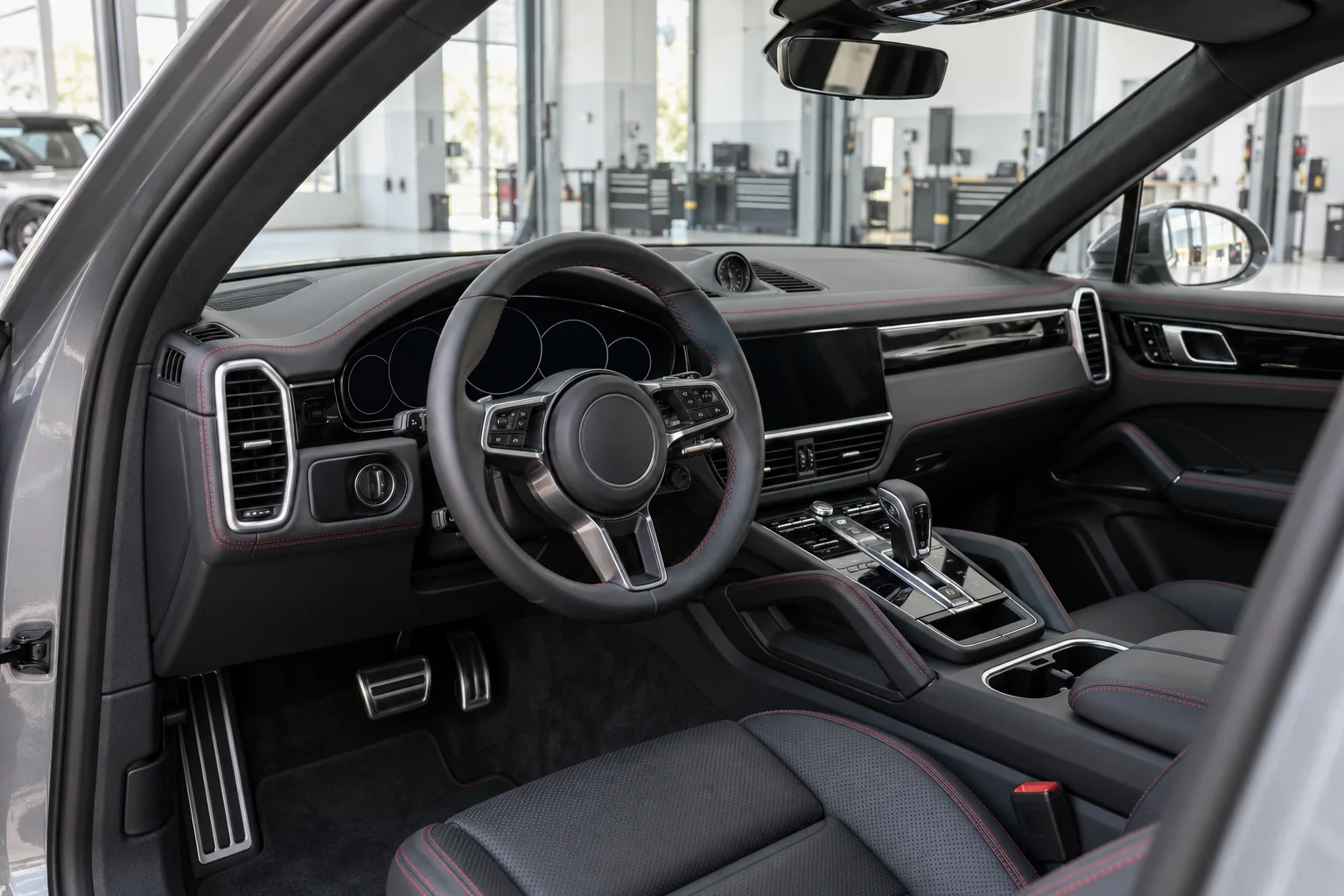
Steering wheel, instrument display and dashboard of a parked Porsche where assistance controls are checked
Check the controls and menus with the car parked, never while driving.

Feature map

Porsche assistance systems compared

Names change between generations and markets. Use this as a guide to what each system is for, then confirm the details in your own manual.

System Main job What it is not Where you see it
Porsche Stability Management, PSM Helps keep the car stable and works with ABS and traction control Not a way to exceed grip on a wet or sandy road Fitted to every modern Porsche, with modes that vary by model
Wet Mode Detects water on the road, prepares the stability and brake systems and prompts the driver Not an automatic setting for every slippery surface Standard on the 992 generation 911, also found on later models
Adaptive Cruise Control Holds a set speed and adjusts it to keep a gap to the car ahead Not lane centring and not self driving Optional on many models, details vary by year
Porsche InnoDrive Adds predictive speed control using route data, with lane support on some applications Not available on every car with Adaptive Cruise Control Taycan, Panamera, Cayenne and others where listed
Lane Keep Assist Helps steer back when the car drifts towards a recognised lane line Not continuous steering support Standard or optional depending on model
Lane Change Assist Warns in the mirror about cars beside you or approaching from behind Not permission to change lanes Optional on most models, radar in the rear
Warn and Brake Assist Warns of a collision risk and can brake within its detection limits Not a guarantee that every hazard is seen Standard on the 992 generation 911 and many later cars
Emergency Assist Can slow and stop the car in lane if the driver stops responding Not a plan for driving while tired or unwell Linked to Adaptive Cruise Control on supported cars
ParkAssist, camera and Surround View Distance warnings and camera views during manoeuvres Not proof that the path is clear Most models, different levels of equipment
Active Parking Support Parks the car with the driver supervising Not the same as parking sensors Selected newer models only
Night Vision Assist Thermal image ahead and warnings for recognised people and larger animals Not a full view of every obstacle Optional on 911, Cayenne, Panamera and Taycan where listed
Traffic Sign Recognition Shows detected speed limits and some signs Not a legal speed instruction Many models, often linked to the camera behind the windscreen
Head up display Projects speed and some assistance information into your view Not an extra sensor Optional on newer models

Distance and speed

Adaptive Cruise Control and InnoDrive explained

Normal cruise control holds the speed you set. Adaptive Cruise Control, often shortened to ACC, also brakes and accelerates to keep a gap to the vehicle ahead. On supported cars it can bring the car to a stop in traffic and move off again, within limits set in the manual.

Porsche describes ACC on the Taycan from model year 2023 as adjusting acceleration and braking to traffic, with a stop and go function. It also lists the conditions where the driver must take over. That description belongs to that application. An older Taycan, a 911 or a Cayenne can behave differently.

Porsche InnoDrive goes a step further on the cars that have it. It uses navigation data to adjust speed for bends, junctions and limits ahead. On the Taycan, Porsche lists an active route and recognised lane markings among the conditions for its lane support. It is not a feature you can switch on in any car that has ACC.

Cruise control
SpeedGapRouteLane
Adaptive Cruise Control
SpeedGapRouteLane
InnoDrive where fitted
SpeedGapRouteLane

Lane support with InnoDrive depends on the application and conditions. Always check what the display confirms.

Lane functions

Lane Keep Assist and Lane Change Assist are different jobs

Lane Keep Assist

Reacts when the car drifts towards a lane line it can see. It gives a steering nudge or a warning. It does not hold the car in the middle of the lane all the time.

Limits. Faded paint, roadworks, sand on the surface and low sun can stop it recognising the lines.

Active lane guidance

On supported cars, this gives continuous steering support while you keep your hands on the wheel. Porsche describes it as part of InnoDrive on the Taycan. Do not assume it exists because ordinary Lane Keep Assist is fitted.

Limits. Hands on detection, recognised markings and the conditions listed in the manual.

Lane Change Assist

Uses rear radar to warn, usually with a light in the mirror, about cars beside you or closing fast from behind. Porsche lists it separately from lane keeping on the Macan Electric.

Limits. A clear mirror light does not mean the gap is safe. Use your mirrors and look before you move.

Collision warning and braking

How far can Warn and Brake Assist go?

When Porsche launched the 992 generation 911 in 2019, it fitted a camera based warning and brake system as standard. Porsche said it can detect a collision risk with moving objects and can start emergency braking. The same launch made Wet Mode standard and offered Night Vision Assist on the 911 for the first time.

A system like this works in stages, and each stage has limits. It may warn, prepare the brakes, add partial braking, and in some cases brake hard. It can miss a stationary object, a pedestrian in poor light or a car that cuts in late. Brake as soon as you see the need. Never test it by driving at an obstacle.

  1. 1Visual or sound warningYou react first
  2. 2Brakes preparedPedal feels ready
  3. 3Partial brakingSupports your braking
  4. 4Strong braking where fittedWithin detection limits only

Emergency Assist

If the driver stops responding

Porsche linked an Emergency Assist function to Adaptive Cruise Control on the 992 generation 911. Where fitted, it can slow the car and bring it to a stop if the driver does not respond to warnings. It is a last line of help. If you feel tired or unwell, stop safely.

Wet Mode

When the road is wet

On the 992 generation 911, sensors detect water on the road surface and the car prompts the driver to select Wet Mode. The stability and brake systems are then prepared for lower grip. Dubai rain is rare but sudden, and oil on the road after the first shower makes it slippery.

Porsche Active Safe

Older names, similar ideas

Earlier Cayenne, Macan and Panamera models used the name Porsche Active Safe for forward warning and braking functions linked to the radar. Names, scope and conditions changed between generations, so read the manual for your exact car.

Parking help

Parking sensors, cameras and automated parking

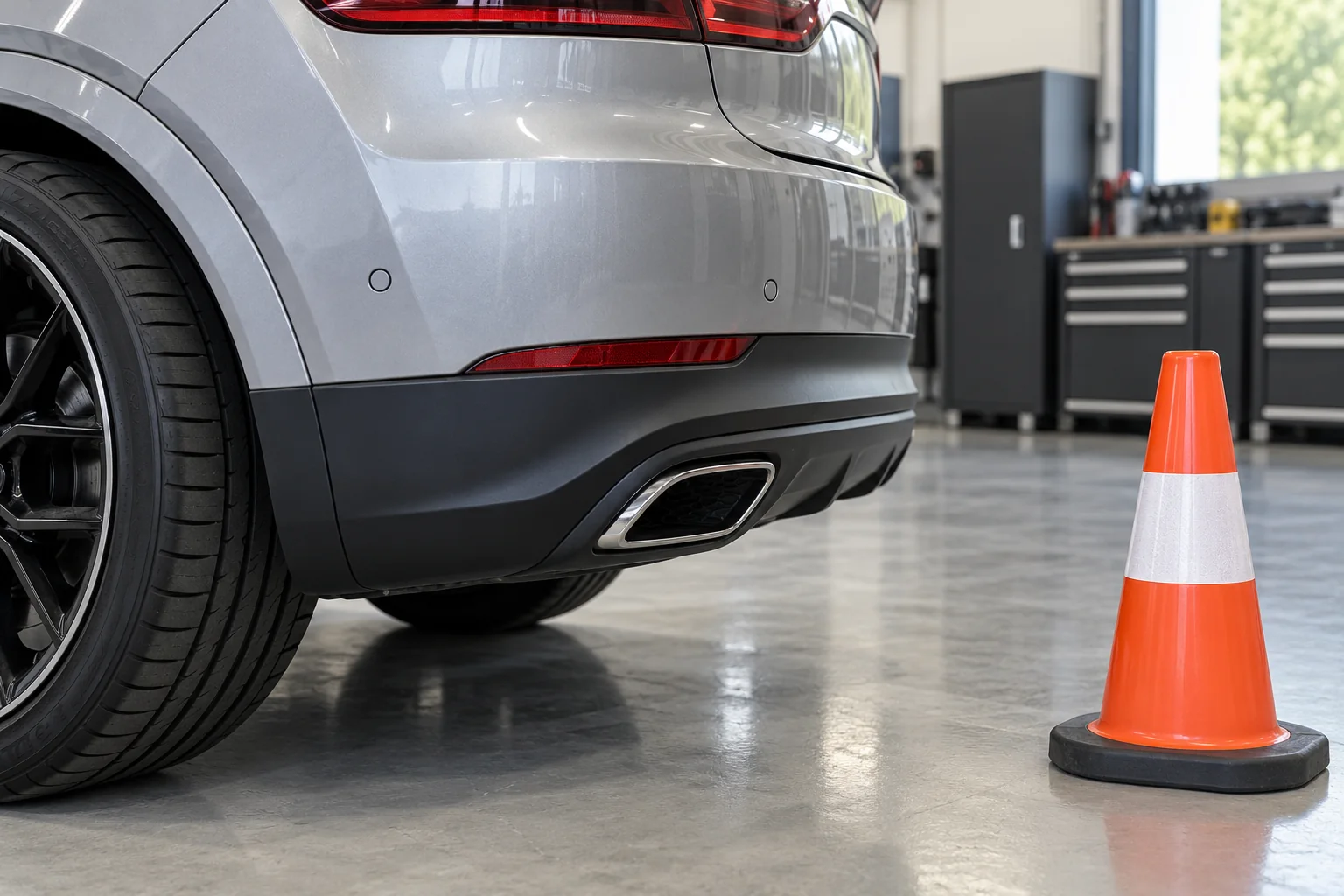
Flush round parking sensors in the rear bumper of a Porsche with a traffic cone behind
Sensors need a clean, undamaged bumper surface to read correctly.
Warns of distanceShows an imageSteers itself
ParkAssistYesNoNo
Reversing cameraNoYesNo
Surround ViewWith ParkAssistYesNo
Active Parking SupportYesYesWhere fitted

Porsche describes automated parking on the Panamera as a process the driver supervises. Silence from the sensors or a clear screen does not prove the path is clear. Kerbs, posts, chains and small children can be missed.

Night Vision Assist

What Night Vision Assist can and cannot see

Night Vision Assist uses a thermal camera to show warm objects ahead on a display. Porsche describes the Taycan system from model year 2023 as able to warn about recognised people and larger animals, and it separates showing the image from switching on the warnings.

Thermal imaging depends on temperature difference. On a hot Dubai night, the road, walls and parked cars can stay warm, which can reduce contrast. A cold object such as a fallen load may not stand out at all. Use proper headlights and a speed that lets you stop within what you can see.

Traffic Sign Recognition

The windscreen camera reads speed signs and combines them with map data on many cars. It can miss a temporary sign, read a sign meant for a slip road, or keep an old limit after a road change. The posted sign is the law, not the display.

Head up display

Projects speed, navigation and some assistance states into your line of sight. Polarised sunglasses can make it hard to see. It shows information from other systems, it does not add any detection of its own.

Dubai conditions

Sand, dust and glare on Dubai roads

Cameras and radar need a clear view. Fine sand on the windscreen in front of the camera, a dusty front badge area over the radar, or mud on rear bumper corners can make a system unavailable. A message that clears after cleaning shows the view was blocked. It does not prove every possible fault is ruled out.

  • Do clean the camera area on the outside of the windscreen with a soft cloth when the car is parked.
  • Do keep stickers, toll tags and dash cams away from the area the manual marks as camera view.
  • Avoid pressure washing radar covers and sensors at close range.
  • Avoid treating heat alone as a reason for recalibration. Calibration needs a repair or a fault as its reason.
Gloved hand wiping the outside of a windscreen beside the camera viewing area near the rearview mirror
Clean only the outside of the glass, and never remove covers or move the camera.

After a repair

When do Porsche cameras and radar need calibration?

Calibration is a repair step that follows specific work, not a routine service item. Porsche has stressed the calibration needs of camera based systems after windscreen replacement, and it has published procedures for the Panamera front camera. Ask your repairer which procedure applies before the work starts.

Windscreen replacement

The front camera behind the glass usually needs calibration after a new screen is fitted. Lane, sign and braking functions can depend on it.

Front bumper or grille work

The radar for Adaptive Cruise Control and collision warning sits behind the front panel on many models. Removal or a repaint over the cover can affect it.

Rear bumper or quarter work

Lane Change Assist radar and rear parking sensors are mounted at the rear corners. Impacts and refitting can change their aim.

Wheel alignment changes

A change to the thrust angle can affect how the camera sees lanes on some systems. The procedure decides whether a calibration follows.

Mirror or camera replacement

Surround View cameras in the mirrors and bumpers need setup after replacement so the views line up.

What calibration cannot fix

A cracked sensor, a broken mount, damaged wiring or a fault in a control unit. These need repair first.

Warning messages

What should I do when an assistance warning appears?

System unavailable, conditions

Messages about a blocked view, weather or lane markings often clear once conditions change. Drive without relying on the system, then clean the view area when parked.

Repeated or unexplained fault

A warning that comes back with clean sensors, appears after repair work or stays on needs diagnosis. Note the exact text, when it appears and any recent work.

Brake, steering or stop instruction

If the message concerns braking or steering, or the car tells you to stop, find a safe place and stop. Arrange recovery rather than driving to a workshop.

What to bring when you book a check

Good information saves diagnostic time and avoids replacing parts on a guess. A cleared fault memory or a warning that went out on its own is not proof that the cause is fixed.

  • Model, year and VIN or registration card photo
  • A photo of the exact message, taken when parked
  • When it appears, for example at night, after rain or above a certain speed
  • Any windscreen, bumper, mirror, alignment or body work in the past year
  • Whether the car has had tinting or a dash cam fitted near the camera
  • Any calibration records from previous repairs

Porsche driver assistance questions

Does every Porsche have Adaptive Cruise Control?

No. On many models it is an option. Check the equipment record for your VIN, or look for the distance setting on the cruise stalk or steering wheel buttons while parked.

Can I add a missing assistance system through the PCM?

A menu entry does not prove the hardware is fitted. Most systems need a camera, radar or sensors, wiring and a supported control unit. Coding alone does not add a complete safety system.

Why does Lane Keep Assist switch off in roadworks?

It needs clear lane markings. Yellow temporary lines, faded paint, sand and low sun can stop it recognising the lanes. Steer yourself until the display shows it is active again.

Is Warn and Brake Assist the same as automatic emergency braking?

It is the Porsche name for a warning and braking support system. It works within its detection limits. It can miss some objects, so you must brake yourself when you see the need.

Does a new windscreen always need camera calibration?

On cars with a camera behind the windscreen, calibration is usually part of the procedure after replacement. The exact requirement depends on the model and the systems fitted. Ask for the calibration record.

Does Dubai heat mean the sensors need regular calibration?

Heat alone is not a reason. Calibration should follow a repair, an impact or a diagnosed fault. Respond to warning messages and investigate a recurring one.

Can Night Vision Assist see everything at night?

No. It shows warm objects. In hot weather, contrast can drop, and cold objects may not show. It does not replace headlights or a safe speed.

Should I test automatic braking with a box or a cone?

No. Do not create a collision risk to test any system. A workshop with the right equipment can read faults and run the checks the procedure allows.

Can I keep driving with an assistance warning?

Follow the exact message and your manual. Do not rely on a system that is unavailable. If braking or steering feel wrong, or the car says stop, stop safely and call for help.

Does Traffic Sign Recognition set the legal speed limit?

No. It shows what the camera and map data suggest. The posted signs and road conditions decide your speed.

Camera calibration target positioned in front of a Porsche in a workshop
Calibration follows the procedure for the exact model and system.
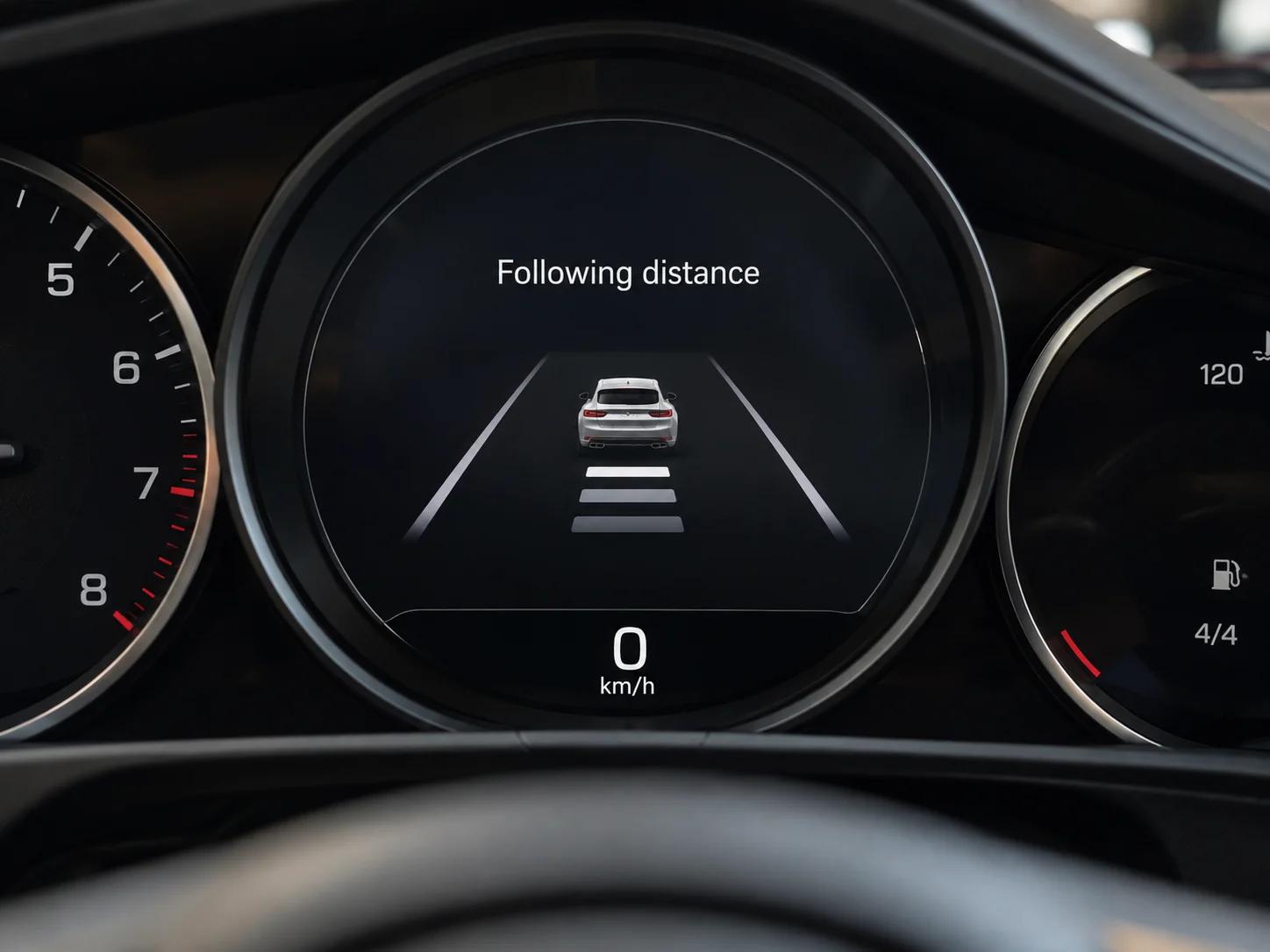
Illustrative adaptive cruise control following distance display
Illustrative following distance display. Symbols and controls vary by model.

Got an assistance warning you cannot explain?

  • Send the model, year and a photo of the message
  • Tell us about any glass, bumper or alignment work
  • We confirm what is fitted before quoting
  • Calibration only where the procedure calls for it

Talk to the workshop

Porsche Repair Dubai is an independent workshop in Al Quoz. We are not affiliated with, endorsed by or an authorised dealer of Porsche AG. Feature names are used only to describe the systems.

Call WhatsApp
Scroll to Top